7. Launch
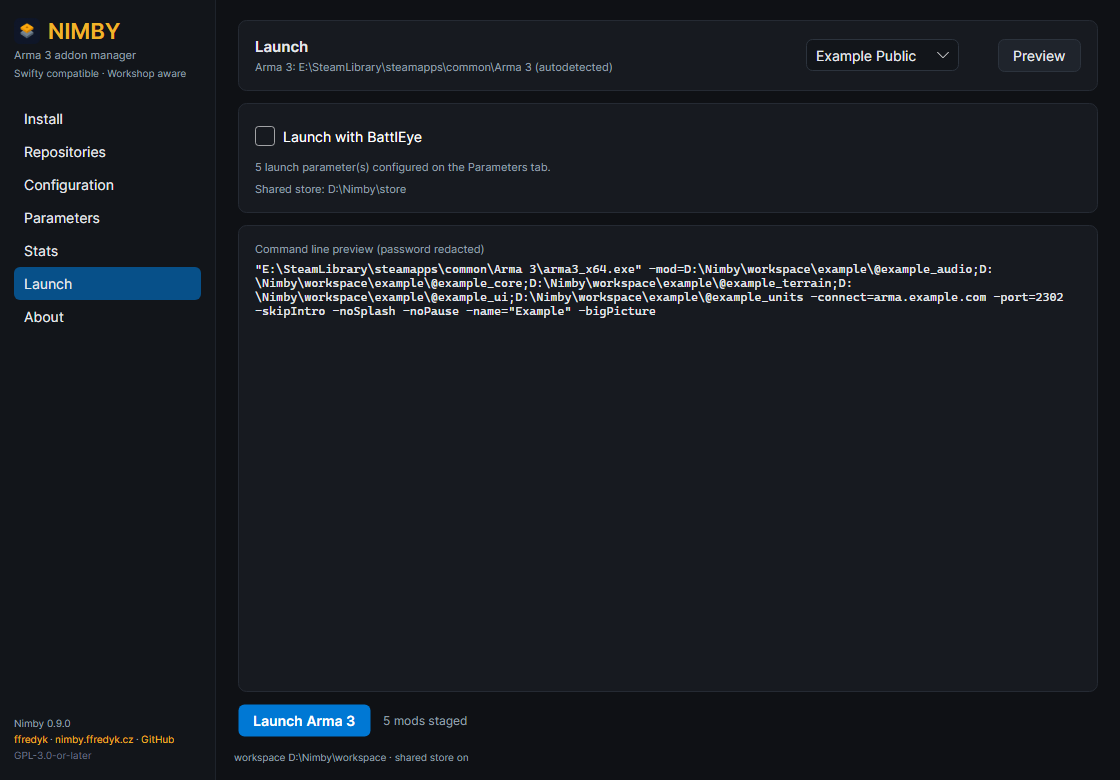
The Launch page: server picker, BattlEye and the exact command line.
- Pick a server, or leave No server. The list comes from
repo.json; the first entry is preselected. - Tick Launch with BattlEye if the server requires it; this selects
arma3battleye.exe. - Preview shows the exact command line with the password redacted.
- Launch Arma 3 starts the game; Nimby waits until it exits.
Launch passes every mod folder in the active workspace with -mod=, plus the server address, port and password, the Parameters page entries and the repository's client parameters. If Arma is already running the launch is refused.
Parameters page
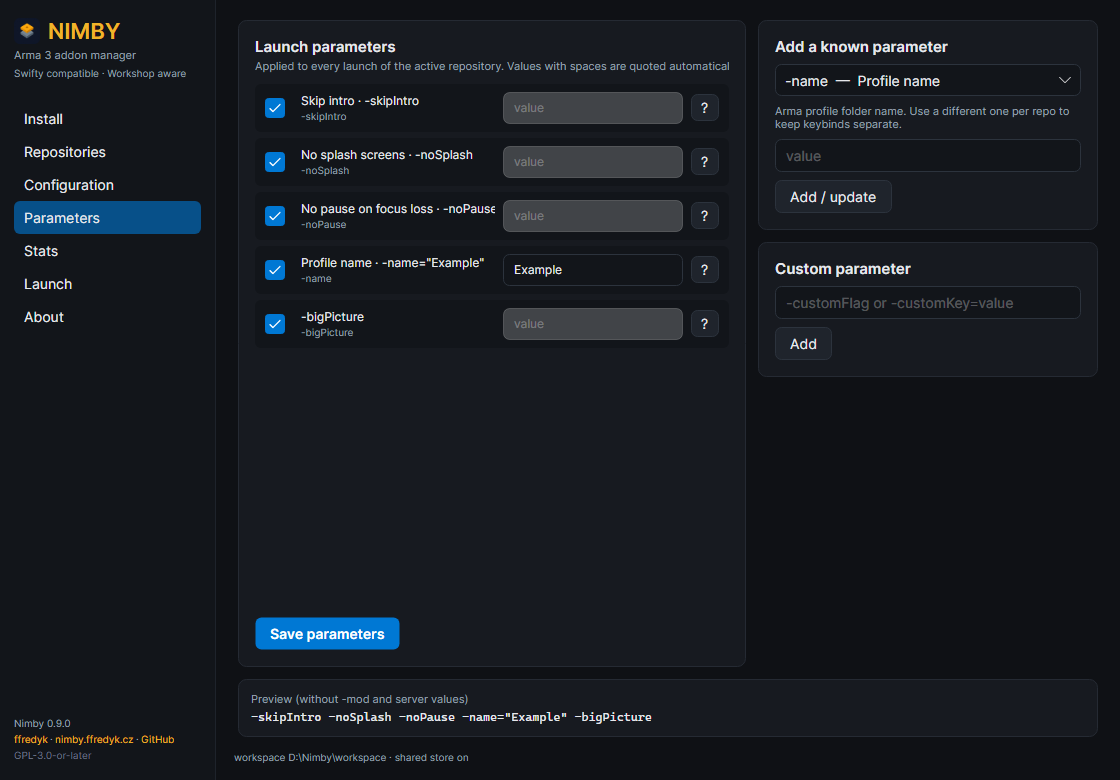
The Parameters page: the list, the known-parameter picker and the preview.
Parameters apply to every launch Nimby performs. Managed ones (-mod, -connect, -port, -password) are filled in from the installed mods and the server picker; user ones are yours, picked from the known list or typed as -flag or -key=value. Values with spaces are quoted automatically, and the profile name is always quoted: -name="Fred". Uncheck a parameter and press Save parameters to remove it; the preview shows the rendering without -mod and server values.
The command-line length limit
Windows caps a command line at 8191 characters, and -mod= with absolute paths eats that fast. Nimby measures the line and refuses to launch (command line would be 8632 characters (limit 8191) with 24 mods; …) instead of letting Arma fail cryptically. Fixes: move the workspace root closer to the drive root (E:\Nimby, not E:\Games\Arma Stuff\Nimby\Workspace), split unrelated mods across repositories, drop mods you do not need for that server.